
SLIDE IN
DAISY-CHAIN STYLE

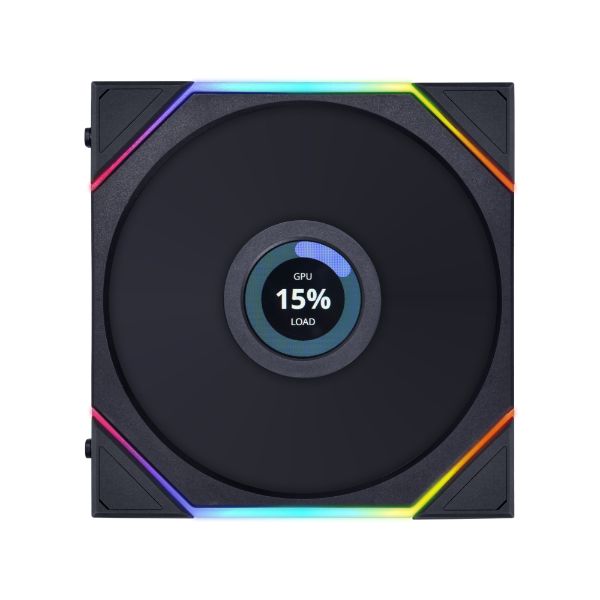
1.6” LCD SCREEN

STABLE MOTOR

ENLARGED INFINITY MIRROR

DUAL ZONE LIGHTING EFFECTS

L-CONNECT 3 SOFTWARE
- Loosen the Screws: Loosen the screws to ensure the connectivity of the group of TL LCD fans. This can help resolve issues such as the LCD screen not displaying or being stuck at the logo screen.
- USB Connections: It is recommended to plug the UNIFAN TL’s controller directly into the motherboard’s USB 2.0 headers. Avoid using any USB hub in between, except for EDGE PSU. For more details on the UNI FAN TL Controller and the number of TL LCDs supported, please click here.
- Motherboard Limitations: Currently, some Z790 motherboards can only support up to 7 devices via their USB 2.0 ports. This means that only 7 TL LCDs can be used, or fewer when paired with other USB devices. For example, when paired with GA II LCD AIO or Shift AIO, only 5 TL LCDs can be used. When paired with Strimer Plus cable, only 6 TL LCDs can be used. To solve this, you can use our 1-to-3 USB hub (connects via motherboard back IO) for other USB devices, and stably use 7 TL LCDs. Click here to refer to the tested motherboards.
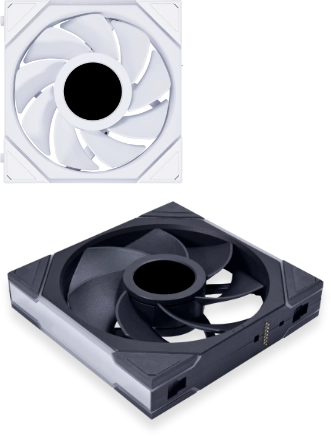
AVAILABLE IN TWO COLORS/ TWO SIZES/ TWO ORIENTATIONS
Elevate your PC setup with UNI FAN TL LCD black and white fans, available in 120mm and 140mm sizes with normal and reverse blades.
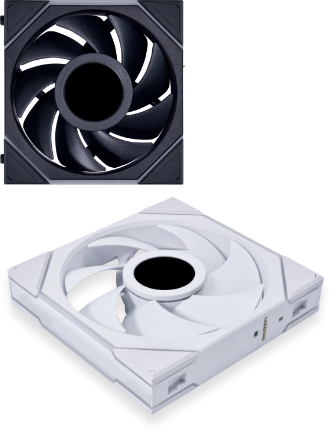
Normal Blade